


The acronyms IaaS, PaaS, and SaaS are frequently mentioned, each representing distinct cloud service models. Understanding the differences between Infrastructure as a Service (IaaS), Platform as a Service (PaaS), and Software as a Service (SaaS) is crucial for businesses and individuals looking to harness the power of the cloud. In this article, we’ll delve into the ten major distinctions that set these cloud service models apart and shed light on how they work.
Source: Cloudzero
Before we dive into the differences between IaaS, PaaS, and SaaS, let’s establish a fundamental understanding of what the cloud is. In simple terms, the cloud refers to a network of remote servers that store, manage, and process data and applications over the internet, rather than on local hardware or a personal computer. This remote infrastructure is hosted and maintained by cloud service providers, offering scalability, accessibility, and cost-efficiency.

How cloud computing works comes down to delivering various computing services over the Internet. It enables users to access and utilize computing resources, such as servers, storage, databases, networking, software, and analytics, without the need to own or maintain physical hardware or infrastructure. Here’s a simplified explanation of how the cloud works:
Choosing between the three models is only half the work, because the existing systems still have to get there. A documented cloud migration strategy and process decides which workloads are rehosted as they are and which are rebuilt for a platform service. That sequencing matters more than the label you put on the target environment.
Source: Beinsure
IaaS stands for “Infrastructure as a Service.” It is a cloud computing service model that provides virtualized computing resources over the internet. With IaaS, users can rent and manage fundamental IT infrastructure components, such as virtual machines, storage, and networking, from a cloud service provider.

Key features of IaaS include:
Overall, IaaS is an attractive option for businesses and developers seeking greater control over their IT infrastructure without the hassle and cost of managing physical hardware. It forms a foundational layer of cloud computing that supports more advanced cloud service models like Platform as a Service (PaaS) and Software as a Service (SaaS).
These IaaS providers offer a wide array of infrastructure services to cater to various business needs, making it possible for organizations to build and manage their virtualized IT environments in the cloud.
Platform as a Service (PaaS) is a cloud computing service model that provides a platform and environment for developers to build, deploy, and manage applications without worrying about the underlying infrastructure. PaaS offers a set of tools, services, and development frameworks to streamline application development and delivery.
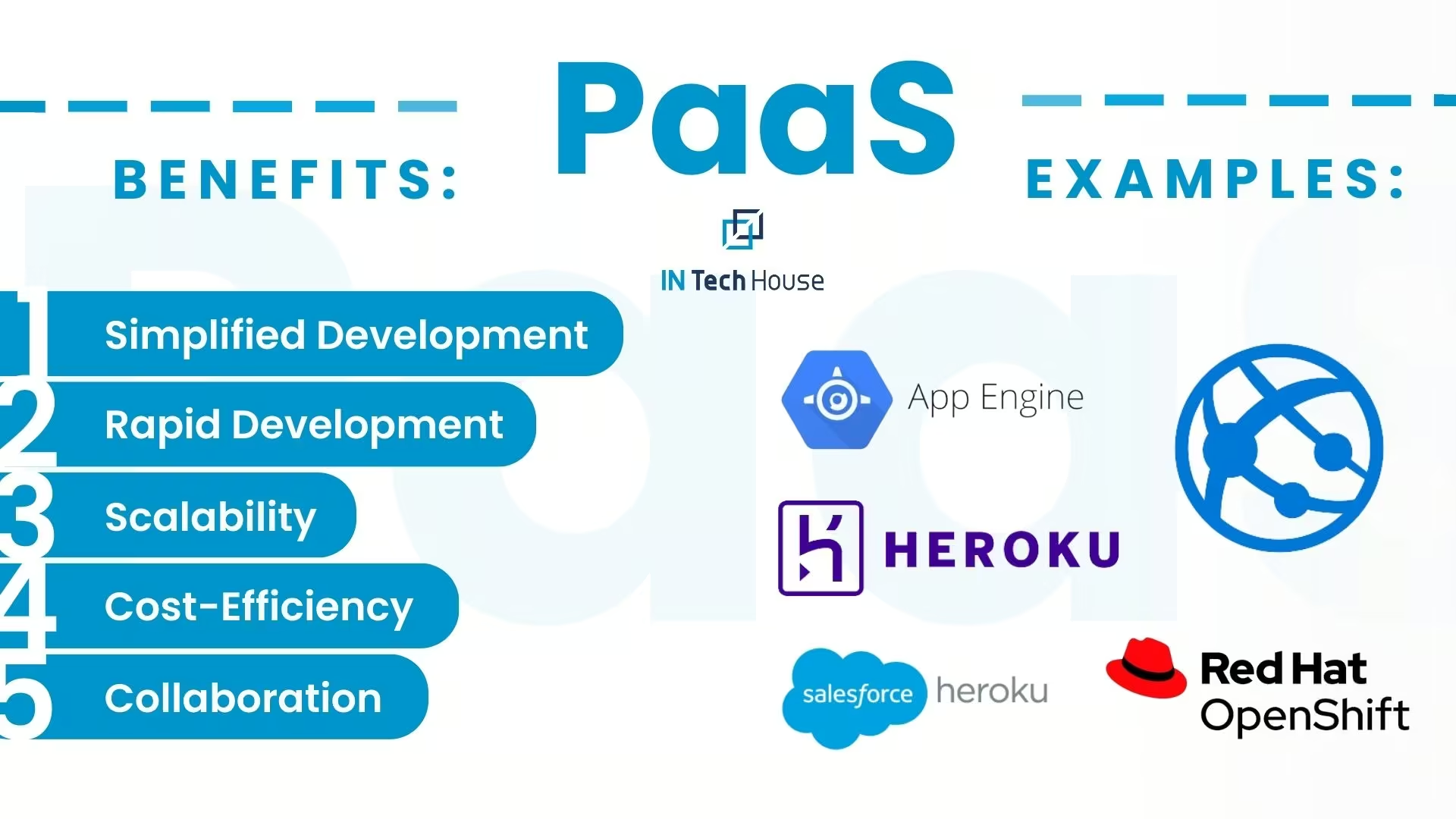
PaaS streamlines the development process, making it an attractive choice for developers and businesses looking to create and deploy applications quickly and efficiently. However, potential vendor lock-in and reduced infrastructure control should be considered when adopting PaaS solutions.
Software as a Service (SaaS) is a cloud computing service model that delivers software applications over the internet on a subscription basis. SaaS eliminates the need for users to install, maintain, or manage the software locally on their devices or servers. Instead, they access the software through a web browser, usually from any internet-connected device. Here are the key features, advantages, and disadvantages of SaaS:
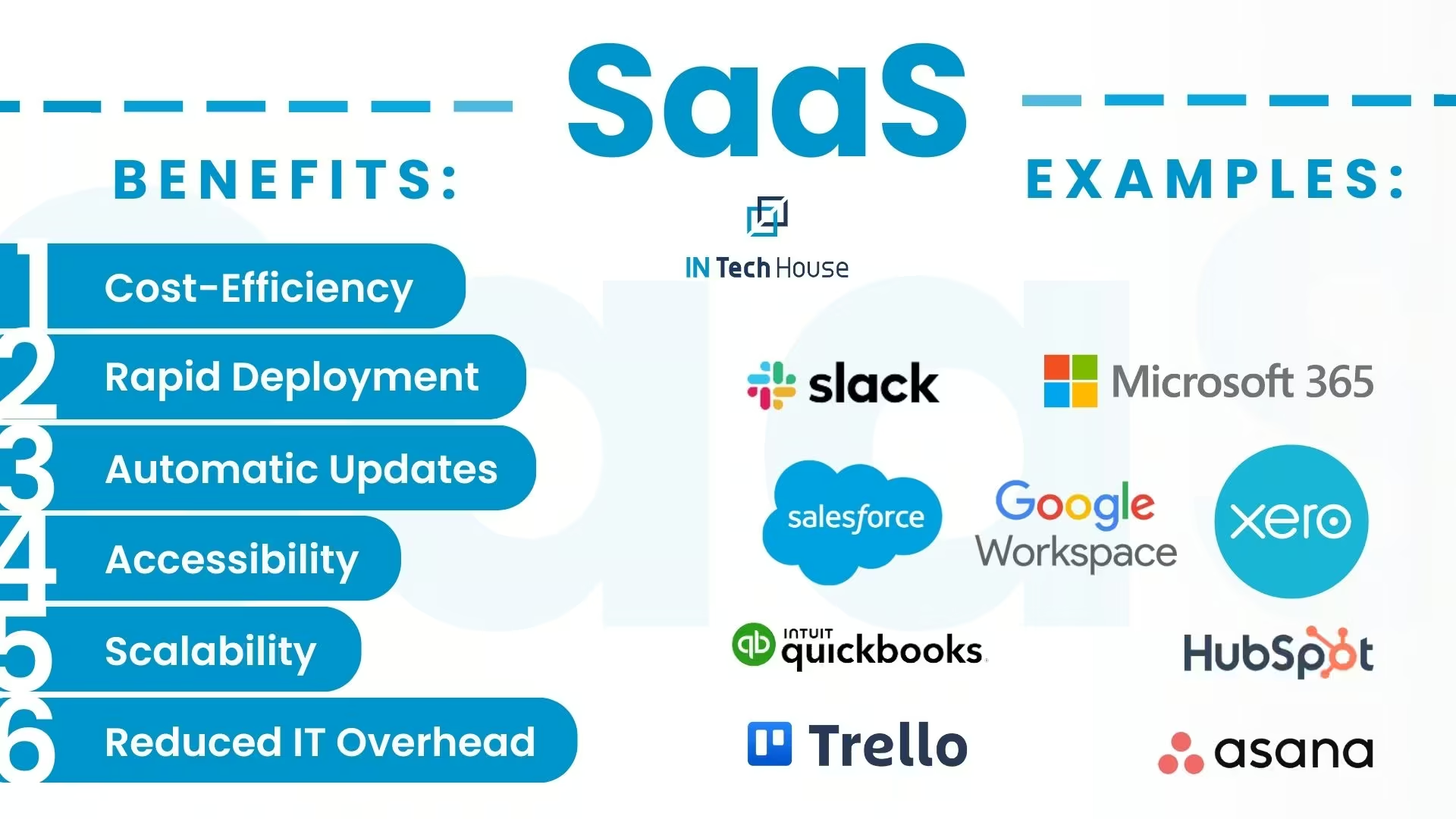
Key Features of SaaS:
SaaS has become a popular choice for businesses due to its accessibility, cost-efficiency, and ease of use. However, organizations should carefully consider customization needs, data security, and vendor lock-in when adopting SaaS solutions.
Here are some notable examples of Software as a Service (SaaS) applications and services across various categories:1. Productivity and Collaboration:
2. Customer Relationship Management (CRM):
3. Enterprise Resource Planning (ERP):
4. Accounting and Finance:
5. Human Resources (HR):
6. Project Management:
7. Communication and Video Conferencing:
8. Customer Support and Helpdesk:
9. Marketing Automation:
These are just a few examples of the wide range of SaaS applications available to businesses and individuals. The SaaS market continues to evolve, with new solutions and innovations constantly emerging to address various business needs.
The cloud market is growing. Look at the numbers and you will see it.

But what about the exact reasons for such extreme growth?
To begin with, this can be attributed to the fact that IaaS encompasses all the essential advantages of cloud computing, including scalability, flexibility, geographical independence, and the potential for cost savings. When compared to PaaS and SaaS, the standout feature of IaaS is its unparalleled flexibility and customization. Leading cloud providers offer a diverse array of infrastructure options, allowing clients to select the performance characteristics that align best with their specific requirements.
Furthermore, IaaS stands out as the least likely of the three cloud delivery models to lead to vendor lock-in. In the case of SaaS and PaaS, transitioning to an alternative solution or discontinuing a service once it has become deeply integrated into operations can be challenging. Additionally, IaaS follows a pricing model that bills customers solely for the resources they actively utilize, potentially resulting in cost reductions when employed strategically. While a substantial portion of this growth can be attributed to existing customers, it’s also due to a rising trend where organizations are adopting IaaS across a broader spectrum of functions compared to the other cloud service models.
What about the cloud newcomers on the market? Do businesses trust them? Our answer is Yes.

Read also:
Choosing between IaaS, PaaS and SaaS gets harder once plant data, historians and OT systems are in scope. Our data platform team designs the ingestion and storage layer around your real workloads.
Source: PluralSight
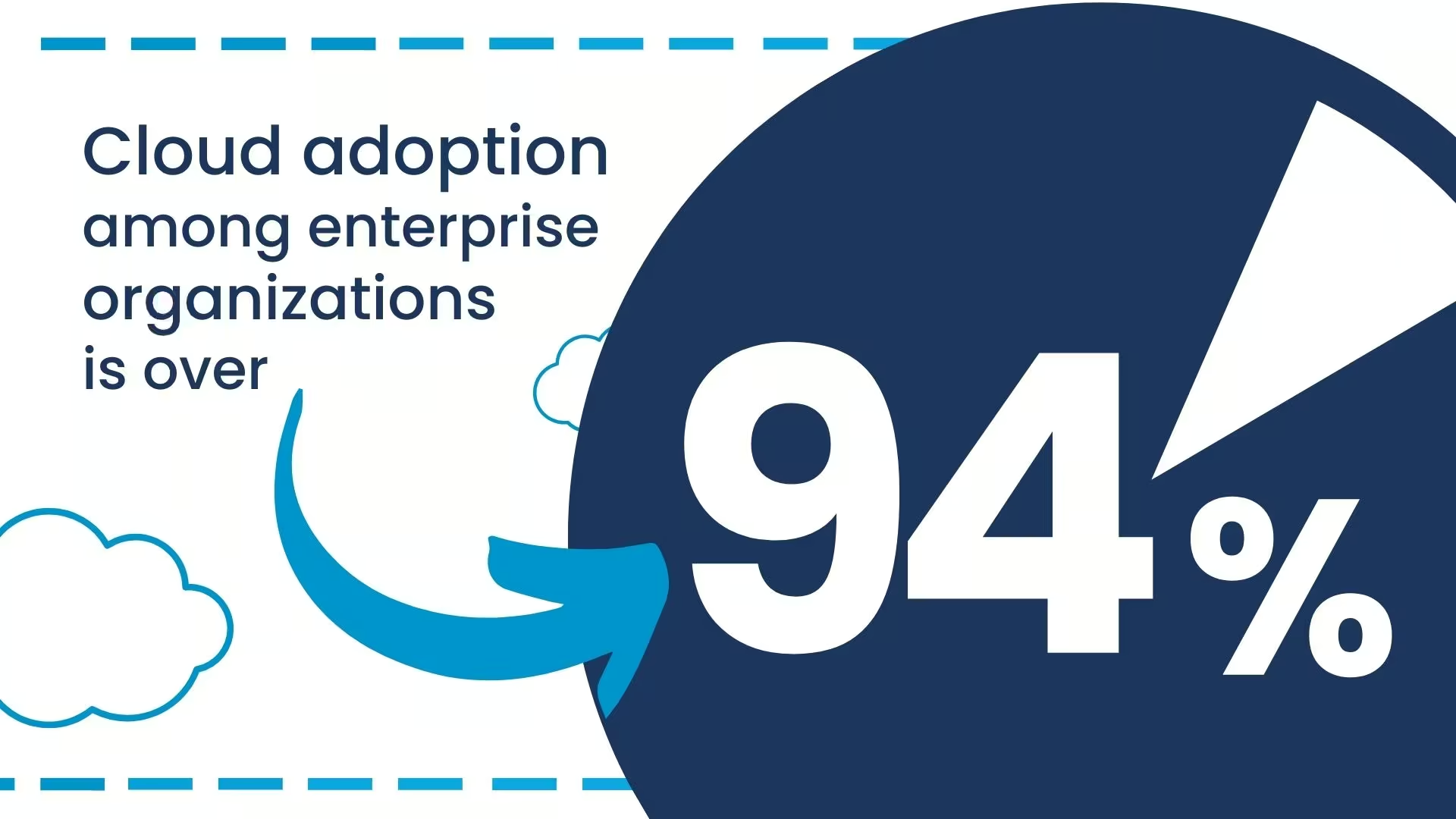
Remember if you are an enterprise, being without a cloud is dangerous!
In practice the answer is rarely one tier for the whole system. Custom cloud solutions for embedded systems usually mix IaaS storage, PaaS pipelines and a SaaS front end, especially on device fleets that combine on premise gateways with hosted analytics. Map each workload separately before you commit the whole architecture to a single model.
Source: RightScale
The choice between SaaS, PaaS, and IaaS depe
We have delivered ingestion, historian and governance layers for manufacturing and energy clients on both managed and self-hosted infrastructure. Ask us how we scope the build.
Not sure where to start? We work with companies at every stage, from early ideas to enterprise-level builds. A 30-minute call can save you months of guesswork.
The main difference between IaaS, PaaS and SaaS is how much of the stack the provider manages. With IaaS the customer runs the operating system, runtime and application on rented virtual machines, storage and networks. With PaaS the provider also manages the OS and runtime, so the team deploys code or containers. With SaaS the provider runs the entire application and the customer only configures and uses it. Moving from IaaS to SaaS trades control for lower operational effort.
Serverless computing, or Function as a Service, sits beyond PaaS: the team deploys individual functions and the provider handles servers, scaling and runtime entirely. Examples include AWS Lambda, Azure Functions and Google Cloud Run functions. Billing is per invocation and execution time, so idle cost is close to zero. The constraints are execution time limits, cold-start latency and tighter coupling to the provider's event model, which makes serverless better suited to event-driven tasks than to long-running or latency-critical services.
Kubernetes itself is a container orchestration layer, and a managed Kubernetes service such as Amazon EKS, Azure AKS or Google GKE is usually classed as Container as a Service, sitting between IaaS and PaaS. The provider runs the control plane, but the customer still defines node pools, networking, scaling rules and deployments. Platforms like Red Hat OpenShift add developer tooling on top and behave more like PaaS. Teams choose it when they want portability without managing every virtual machine by hand.
SaaS and PaaS generally carry higher vendor lock-in risk than IaaS. On IaaS, a standard Linux virtual machine or container can be moved to another provider with moderate effort. PaaS ties code to proprietary runtimes, queues and databases, and SaaS keeps data in the vendor's schema and export formats. Lock-in is not always a problem, but it should be a deliberate decision: check export APIs, data formats and contract exit terms before critical processes depend on the service.
IaaS usually has the lowest unit price but the highest hidden labor cost, because the team patches, monitors and scales everything above the hypervisor. PaaS raises the unit price and cuts operations work. SaaS turns software into a per-user or per-usage subscription that is predictable but grows with headcount and rarely shrinks. A fair comparison uses total cost of ownership over three to five years, including engineering time, data egress and the cost of leaving.
Yes, most production systems combine IaaS, PaaS and SaaS rather than committing to one model. An industrial data platform might run a historian on IaaS virtual machines, stream processing on a managed PaaS service and dashboards or CRM on SaaS. The sensible approach is to map each workload separately against its control, compliance and latency needs. Mixing models adds integration and identity-management work, so interfaces and data ownership should be defined before the architecture is fixed.
Jacek Suty is Head of Solution Architecture at InTechHouse, with more than 30 years of experience in system architecture, enterprise IT, infrastructure, information security, and complex digital transformation programs.
He specializes in designing enterprise and solution architectures, translating business and regulatory requirements into scalable technology platforms, and coordinating delivery across software, infrastructure, data, and security teams. His work covers enterprise architecture based on TOGAF, system modeling using UML and BPMN, cloud and on-premise infrastructure, CI/CD processes, data platforms, cybersecurity, and IT governance.
Jacek has contributed to large-scale technology programs for public institutions, finance, energy, education, healthcare, utilities, and digital archives. His project experience includes nationwide public digital infrastructure, distributed document-management and archiving systems, data-exploration platforms using machine learning and predictive analytics, and transaction systems combining blockchain, metadata standards, and computational intelligence.
He holds PRINCE2 Practitioner, Management of Risk, Scrum Master, ITIL Foundation, and ISO/IEC 27001 Lead Auditor qualifications. Jacek is currently pursuing a doctoral degree at Bydgoszcz University of Science and Technology, combining academic research with extensive experience in real-world architecture and technology delivery.
He writes about enterprise architecture, system design, digital transformation, data platforms, cloud infrastructure, cybersecurity, technology governance, and the practical application of AI in complex information systems.
Jacek Suty's academic and professional profiles:
https://pbs.edu.pl/pl/doktorant/uczelniania-rada-samorzadu-doktorantow
https://www.isep.pw.edu.pl/isep/zs/Aktualnosci/Kalendarium-wydarzen2/Seminarium-zakladowe-9.03.2021-Jacek-Suty
https://aionehealth.pl/wp-content/uploads/2026/04/Raport-2026-final.pdf
From first prototype to production, our engineers can help you scope it, build it and get it certified.
This initial conversation is focused on understanding your product, technical challenges, and constraints.
No sales pitch - just a practical discussion with experienced engineers.
Share a few details about your product and context. We’ll review the information and suggest the most appropriate next step.