

Software development is a very rapidly evolving landscape for various local and global businesses. That’s why, staying equipped with the right tools is paramount to ensuring efficiency, innovation, and exceptional outcomes. As we step into 2023, InTechHouse presents a comprehensive guide to the top Integrated Development Environments (IDEs) and code editors that are setting the standard for developers worldwide.
This article is based on our experts’ opinions and their huge tech experience. So, we are well equipped to create software development processes smoothly at every stage of the software development life cycle. Let’s go!
What is IDE?
An Integrated Development Environment (IDE) is a comprehensive software suite designed to streamline and facilitate the entire software development process. It provides developers with a centralized platform that combines code editing, debugging, testing, and deployment tools in one cohesive environment. IDEs are tailored to specific programming languages or frameworks, offering features like auto-completion, code analysis, version control integration, and project management capabilities. Examples of popular IDEs include Visual Studio, IntelliJ IDEA, Rider, and others.
What is a Code Editor?
A code editor is a software tool focused primarily on the editing and writing of code. It provides developers with a minimalist interface optimized for coding tasks. Code editors offer functionalities like syntax highlighting, auto-indentation, and basic text manipulation tools. Unlike IDEs, which encompass a wider range of development tools, code editors are lightweight and less feature-rich. They are preferred by developers seeking a streamlined and distraction-free environment for writing code. Notable code editors include Atom and Visual Studio Code.
What is the Difference Between IDEs and Code Editors?
IDE software development tool and a code editor aren’t the same. They are different in scope of features, complexity, customizability, development speed, etc.
But these software programming tools are very effective!1. Scope of Features:
- IDEs: Offer a comprehensive suite of tools covering code editing, debugging, testing, version control, and project management.
- Code Editors: Primarily focus on code editing, providing features like syntax highlighting and basic text manipulation.
2. Complexity:
- IDEs: Tend to be more complex due to their all-inclusive nature, accommodating diverse development needs.
- Code Editors: These are simpler and leaner, designed to offer a lightweight and efficient coding experience.
3. Customizability:
- IDEs: Often come with predefined workflows and layouts, providing less flexibility in customization.
- Code Editors: Can be extensively customized with plugins and extensions to tailor the environment to individual preferences.
4. Learning Curve:
- IDEs: May have a steeper learning curve due to the wide range of features and tools they encompass.
- Code Editors: Typically have a shallower learning curve, making them more accessible for developers seeking a quick and focused coding experience.
5. Development Speed:
- IDEs: Can enhance development speed by offering integrated tools that automate tasks like debugging and testing.
- Code Editors: Focus primarily on code editing and may require additional tools and workflows for tasks beyond writing code.
In summary, the choice between an IDE and a code editor depends on factors such as project complexity, development needs, and personal preferences. IDEs provide a comprehensive suite of tools for robust software development, while code editors offer a lightweight and focused environment for streamlined coding.
Why are IDEs Important in Software Programming?
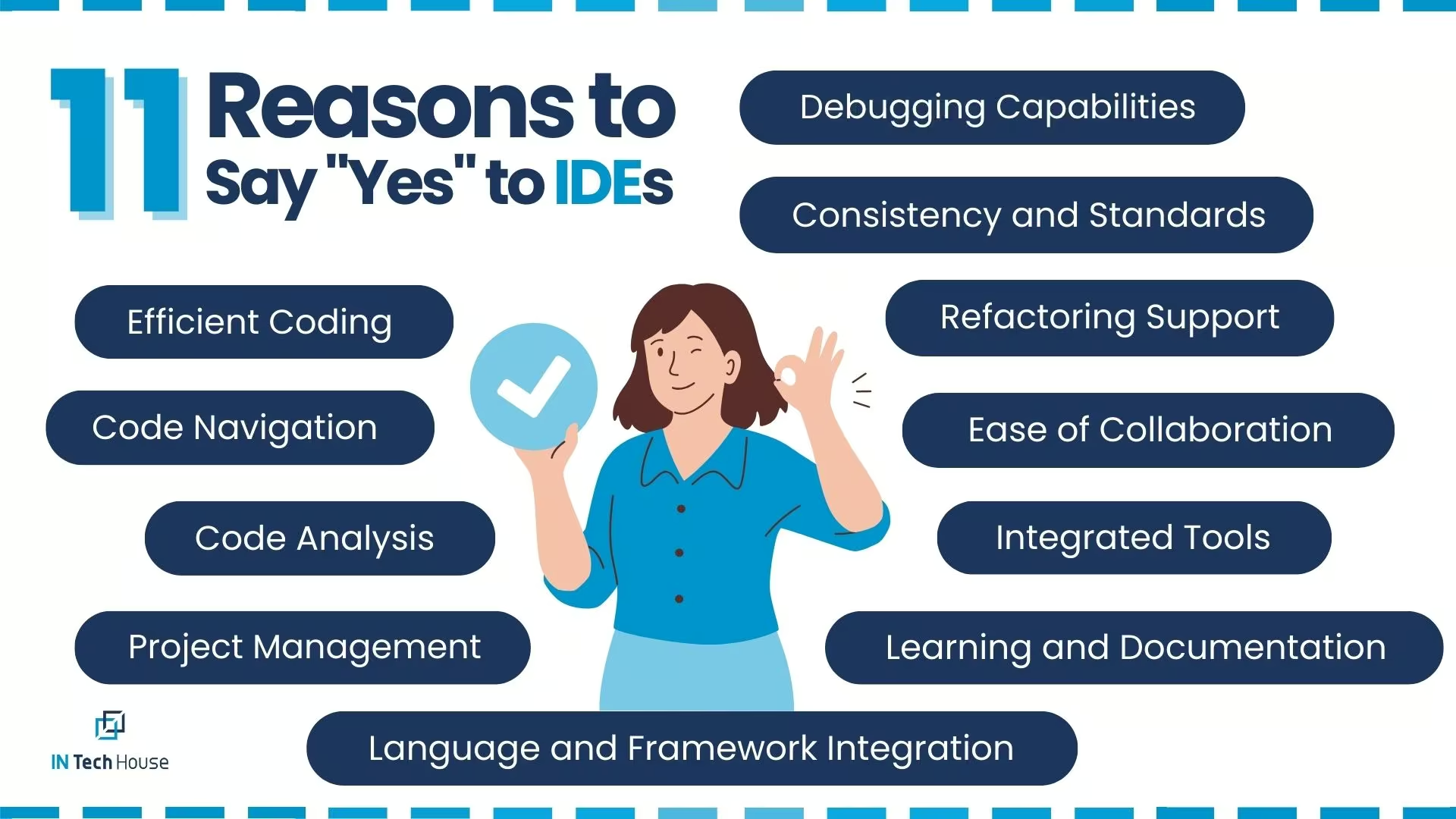
An Integrated Development Environment (IDE) holds immense importance in the realm of software development due to its ability to enhance efficiency, streamline workflows, and facilitate collaboration. Here are several key reasons why an IDE is crucial for software development:
- Efficient Coding: IDEs provide features like auto-completion, code suggestion, and syntax highlighting that significantly speed up the coding process. These features reduce typing errors, improve code quality, and enhance the overall coding experience.
- Code Navigation: IDEs offer powerful tools for navigating through large codebases. Developers can quickly jump to specific functions, classes, or variables, making it easier to understand and modify complex code structures.
- Debugging Capabilities: Debugging is an integral part of software development, and IDEs provide robust debugging tools. Developers can set breakpoints, inspect variables, step through code, and identify and fix issues efficiently.
- Integrated Tools: IDEs incorporate a range of tools such as version control, build systems, and testing frameworks directly into the environment. This eliminates the need to switch between different applications and ensures a seamless workflow.
- Refactoring Support: IDEs offer automated refactoring tools that help developers restructure code without introducing errors. This enables code maintenance, optimization, and enhancement with confidence.
- Code Analysis: IDEs perform real-time code analysis, identifying potential errors, code smells, and best practices violations. This proactive approach ensures code quality and reduces the likelihood of bugs and vulnerabilities.
- Project Management: IDEs often include project management features that allow developers to organize files, manage dependencies, and keep track of tasks within the development cycle.
- Ease of Collaboration: Many IDEs support collaborative features, allowing multiple developers to work on the same codebase simultaneously. This fosters teamwork and accelerates development timelines.
- Language and Framework Integration: IDEs are tailored to specific programming languages and frameworks, offering features and tools optimized for those technologies. This specialization enhances productivity and accuracy.
- Learning and Documentation: IDEs often provide integrated documentation and tutorials for specific languages and frameworks. This makes it easier for developers, especially newcomers, to learn and implement best practices.
- Consistency and Standards: IDEs enforce coding standards and style guidelines, ensuring a consistent codebase across the team. This contributes to the maintainability and readability of the code.
In summary, an IDE acts as a comprehensive toolbox for developers, equipping them with the necessary tools to write, test, debug, and manage code efficiently. Its holistic approach enhances productivity, code quality, and collaboration, making it an indispensable asset in modern software development.
Best Software Development Tools You Should Know: InTechHouse Edition
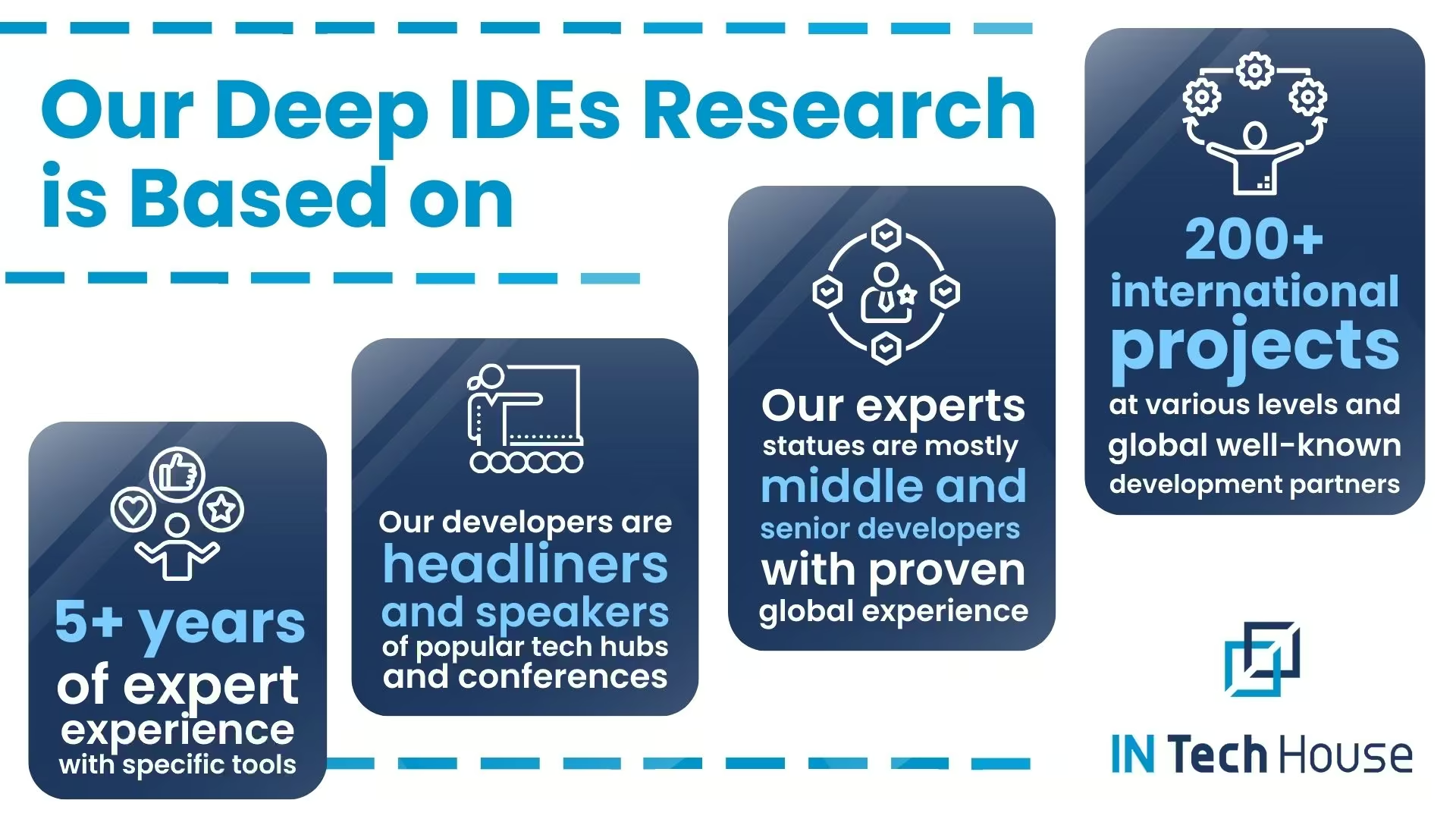
Our developers and content writers created the biggest research ever to find out the best IDEs for Java, Python, .Net, and web development.
Tooling choices look different when the code has to run on a board instead of a server. In our hardware and embedded engineering services the toolchain, the debugger and the target hardware are chosen together, because a compiler that ignores the microcontroller is useless no matter how comfortable the editor feels. Keep that constraint in mind while comparing the environments listed in this guide.
Read our published reviews here on Clutch!
Tools matter less than the people configuring them. Our engineers arrive with working build, debug and test setups instead of spending a sprint on setup.
Bring in engineers who already run your toolchain
Best IDEs for Java
Using both Visual Studio Code (VS Code) and IntelliJ IDEA for Java development can be a good strategy, as each has its own strengths and weaknesses. The choice between them often depends on your personal preferences, project requirements, and specific use cases. Here’s a breakdown of the pros and cons of each:

Visual Studio Code
Pros:
- Lightweight: VS Code is a lightweight, fast, and responsive code editor. It starts up quickly and uses fewer system resources compared to IntelliJ IDEA, which is a full-fledged integrated development environment (IDE).
- Highly Customizable: VS Code is highly extensible and customizable. You can install various extensions from the marketplace to tailor it to your specific needs, including Java support via extensions like “Java Language Support” or “Red Hat Java.”
- Cross-Platform: VS Code is available on Windows, macOS, and Linux, making it an excellent choice if you work on multiple platforms or in a team with different OS preferences.
- Free and Open Source: VS Code is free to use and open source, which means a strong community actively develops and maintains it, ensuring continuous improvement.
- Language-Agnostic: While it’s known for Java development, VS Code supports many other programming languages, making it versatile for multi-language projects.
Cons:
- Limited Built-in Features: VS Code is not as feature-rich as IntelliJ IDEA. While it offers essential tools for Java development, you may miss some advanced features and integrations found in dedicated Java IDEs.
- Steep Learning Curve for Some Extensions: Customizing VS Code to your liking might require you to install and configure various extensions, which can be intimidating for beginners.
IntelliJ IDEA:
Pros:
- Full-Fledged Java IDE: IntelliJ IDEA is specifically designed for Java development. It provides extensive built-in support for Java features, including smart code completion, refactorings, debugging, and more.
- Rich Ecosystem: IntelliJ IDEA offers a comprehensive ecosystem for Java development, including integrated tools for Spring, Maven, Gradle, and other popular Java frameworks and build systems.
- Refactoring and Code Analysis: It excels in code refactoring and static code analysis, helping you write clean, maintainable code.
- Great for Large Projects: IntelliJ IDEA is well-suited for large and complex Java projects, where the extensive feature set and performance optimizations are beneficial.
Cons:
- Resource-Intensive: IntelliJ IDEA can be resource-intensive, particularly on older hardware. It may take longer to start up and consume more memory compared to VS Code.
- Paid Features: While there is a free Community Edition, some advanced features and integrations are available only in the paid Ultimate Edition, which may not be suitable for all budgets.
- Learning Curve: IntelliJ IDEA can have a steeper learning curve, especially for developers new to Java or those transitioning from lighter code editors.
In summary, using both Visual Studio Code and IntelliJ IDEA for Java development allows you to leverage the strengths of each tool. You can use VS Code for quick edits, lightweight projects, or when working with multiple languages, and IntelliJ IDEA for more extensive Java projects that benefit from its advanced features and deep Java integration. Ultimately, the choice between them depends on your specific needs and preferences.
Best Software Development Tools for Python
Using both Visual Studio Code (VS Code) and PyCharm for Python development can be a good approach, as each has its own set of advantages and disadvantages. Here’s a breakdown of the pros and cons of using both tools:
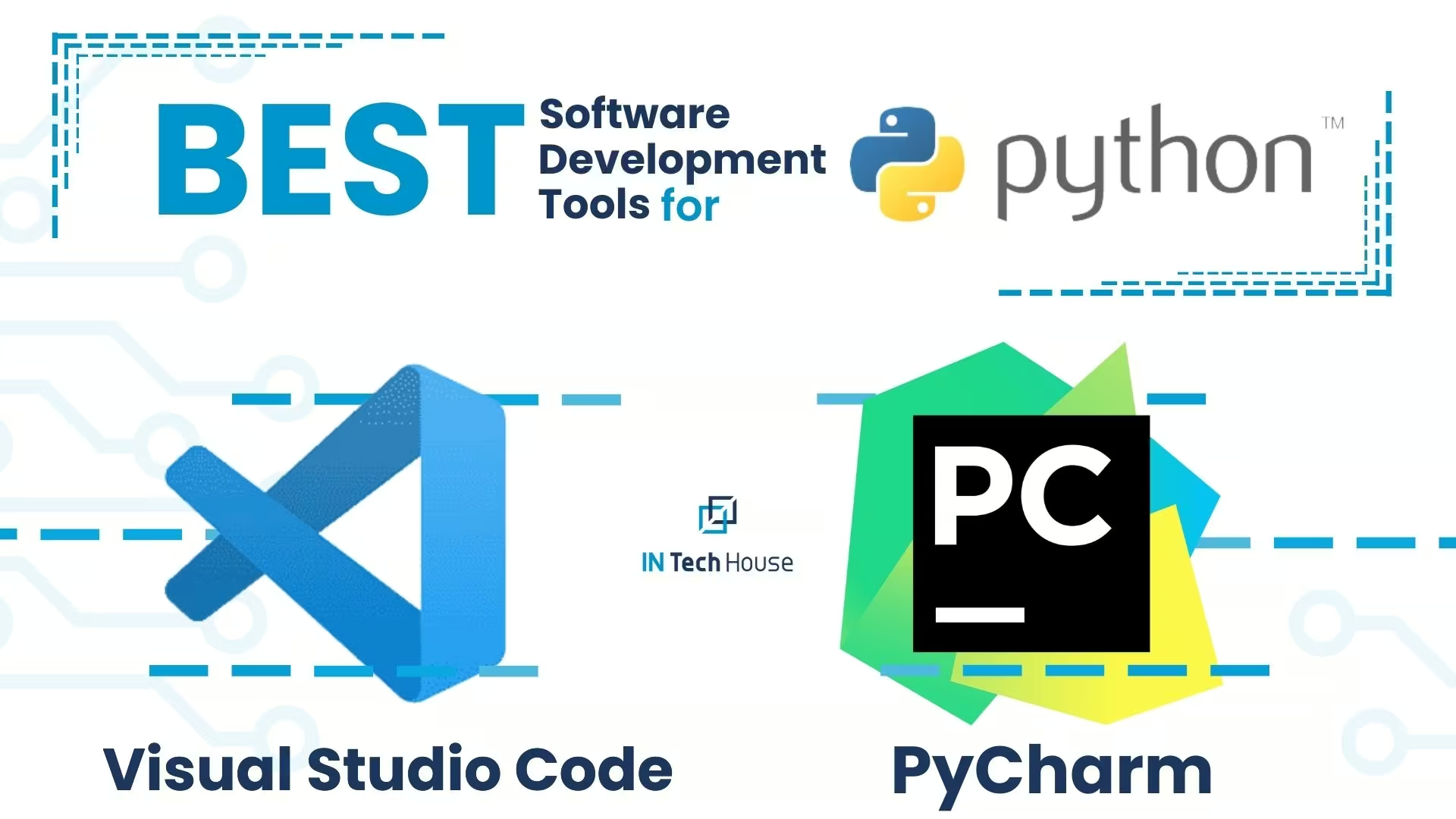
Visual Studio Code (VS Code) for Python Development:
Pros:
- Lightweight: VS Code is a lightweight, fast, and responsive code editor, making it a good choice for quick edits or smaller projects.
- Highly Customizable: VS Code is highly extensible and customizable. You can install various Python-related extensions from the marketplace, such as Python, Python Docstring Generator, and Jupyter, to tailor it to your specific Python development needs.
- Cross-Platform: VS Code is available on Windows, macOS, and Linux, which is beneficial if you need to work on different platforms or collaborate with developers using different operating systems.
- Free and Open Source: VS Code is free to use and open source, and it has a large and active community of users and developers contributing to its ecosystem.
- Multi-Language Support: While it’s excellent for Python development, VS Code also supports a wide range of programming languages, making it versatile for multi-language projects.
Cons:
- Limited Built-in Python Features: While VS Code offers essential Python support, it may not have as many built-in Python-specific features and tools as PyCharm.
- Steep Learning Curve for Some Extensions: Customizing VS Code with various extensions may require some configuration and might be overwhelming for beginners.
PyCharm for Python Development:
Pros:
- Python-Centric: PyCharm is designed specifically for Python development, offering comprehensive support for Python features, libraries, and frameworks. It includes features like intelligent code completion, debugging, and code analysis tailored to Python.
- Rich Ecosystem: PyCharm integrates seamlessly with popular Python tools, frameworks, and libraries such as Django, Flask, NumPy, and more. This can significantly boost productivity when working on Python projects.
- Refactoring and Code Analysis: PyCharm excels in code refactoring and static code analysis, helping you write clean, maintainable Python code.
- Great for Large Projects: PyCharm is well-suited for large and complex Python projects, where its feature set and performance optimizations shine.
Cons:
- Resource-Intensive: PyCharm can be resource-intensive, especially on older hardware, leading to slower startup times and higher memory usage compared to VS Code.
- Paid Features: While there is a free Community Edition of PyCharm, some advanced features and integrations are available only in the paid Professional Edition, which may not be suitable for all budgets.
- Learning Curve: PyCharm can have a steeper learning curve, especially for developers new to Python or those transitioning from lighter code editors.
In summary, using both Visual Studio Code and PyCharm for Python development allows you to take advantage of the strengths of each tool. You can use VS Code for lightweight or multi-language projects and quick edits, while PyCharm is particularly well-suited for Python-centric, complex, or large projects that require extensive Python-specific features and integrations. Your choice should depend on your specific Python development needs and preferences.
Best Development Tools for .Net
Using both Visual Studio and Rider for .NET development can be a strategic choice, as each has its unique strengths and can cater to different preferences and project requirements. Here’s how you can use them effectively:
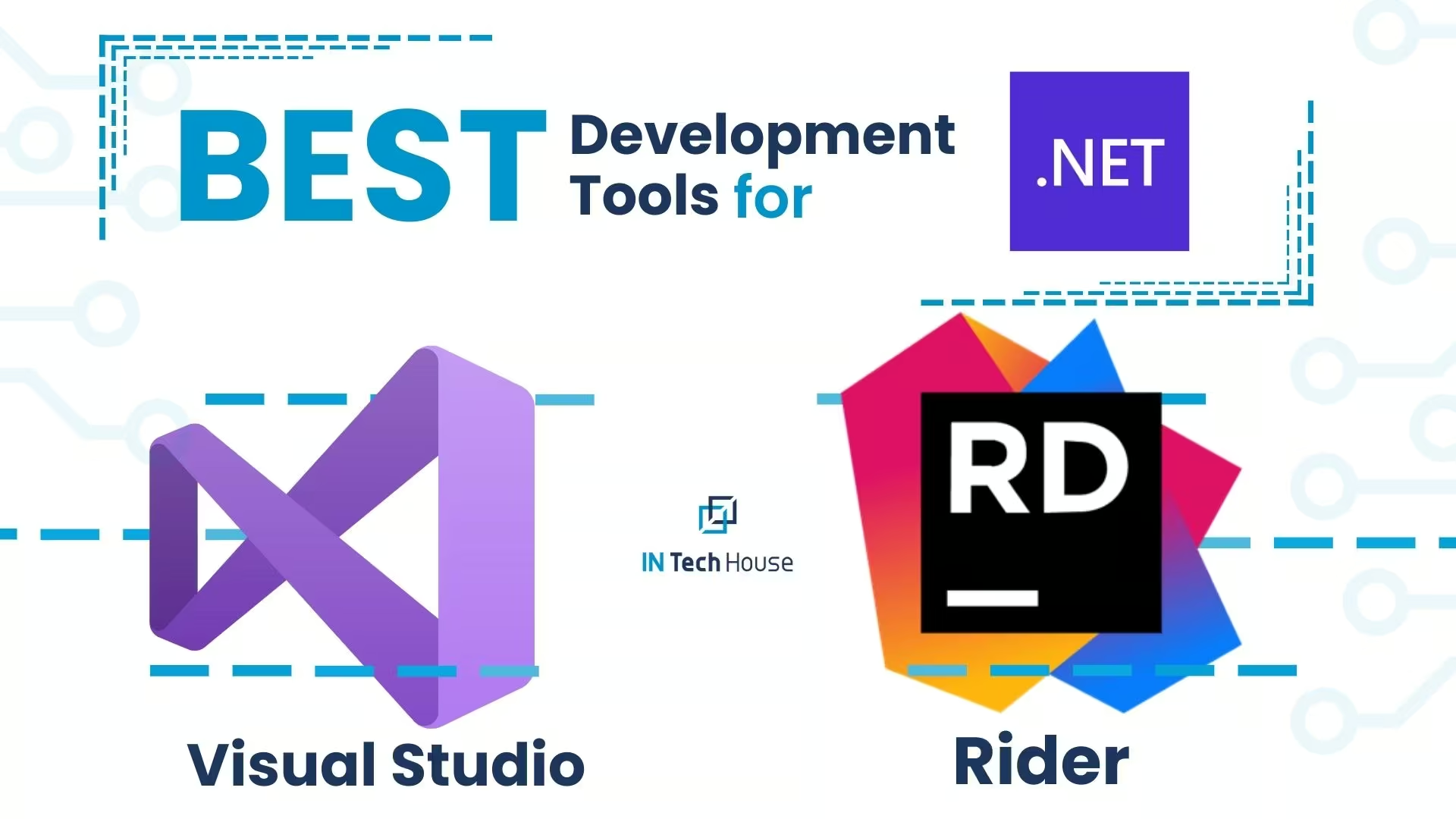
Visual Studio:
- Pros:
- Versatility: Visual Studio is a comprehensive integrated development environment (IDE) that supports a wide range of programming languages and technologies, making it suitable for various types of projects beyond. NET.
- Deep Integration: It offers deep integration with Microsoft’s development ecosystem, making it the go-to choice for Windows and . NET-specific development.
- Vast Ecosystem: Visual Studio has a vast ecosystem of extensions, including those for .NET development, enabling you to tailor the IDE to your needs.
- Enterprise Features: It is well-suited for enterprise-level projects, with features like Team Foundation Server (TFS) and Azure DevOps integration.
- Cons:
- Resource-Intensive: Visual Studio can be resource-intensive, requiring significant memory and CPU power, which may affect the performance of less powerful systems.
- Licensing Costs: Some advanced features and enterprise capabilities in Visual Studio require paid licenses, which can be costly.
Rider:
- Pros:
- Cross-Platform: Rider is a cross-platform IDE, available on Windows, macOS, and Linux, which is advantageous if you work in a multi-platform environment or have developers on different operating systems.
- Performance: Rider is known for its speed and efficient use of system resources, making it suitable for developers seeking a lightweight .NET IDE.
- Code Analysis: It provides robust code analysis, refactoring tools, and support for .NET Core and newer .NET technologies.
- Unity Support: Rider has excellent support for Unity game development, making it a preferred choice for Unity developers.
- Cons:
- Not as Feature-Rich as Visual Studio: While Rider covers most .NET development needs, it may not offer the same level of integration with Microsoft-specific tools and services as Visual Studio.
- Learning Curve: If you are transitioning from Visual Studio to Rider, there might be a learning curve as you adapt to Rider’s interface and workflow.
Best Web Development Tools
Using both WebStorm and Visual Studio Code (VS Code) for web development can be a productive strategy, as each has its own set of features and strengths. Here’s how you can use them effectively in your web development workflow:
WebStorm:
- Pros:
- Dedicated Web IDE: WebStorm is specifically designed for web development, making it a powerful tool for web-focused projects.
- Advanced JavaScript Support: It provides deep support for JavaScript, including intelligent code completion, refactoring, and powerful debugging tools.
- HTML and CSS Tools: WebStorm offers robust HTML and CSS support with code completion, validation, and live preview features.
- Built-in Version Control: WebStorm has built-in support for Git and other version control systems, streamlining collaboration.
- Cons:
- Paid License: WebStorm is not free and requires a paid license, which may not be suitable for all budgets.
- Resource Usage: It can be more resource-intensive compared to lighter code editors like VS Code.
Visual Studio Code (VS Code):
- Pros:
- Lightweight and Fast: VS Code is known for its speed and responsiveness. It starts up quickly and uses fewer system resources.
- Highly Customizable: It is highly extensible, allowing you to install extensions from the marketplace to tailor it to your web development needs. Many extensions are available for web technologies like HTML, CSS, JavaScript, and various frameworks.
- Language Agnostic: VS Code supports multiple programming languages, making it versatile for multi-language projects.
- Free and Open Source: VS Code is free to use and open source, with a large and active community.
- Cons:
- Not as Web-Specific: While VS Code offers excellent support for web development, it may not have all the specialized features and integrations that WebStorm provides for web-centric tasks.
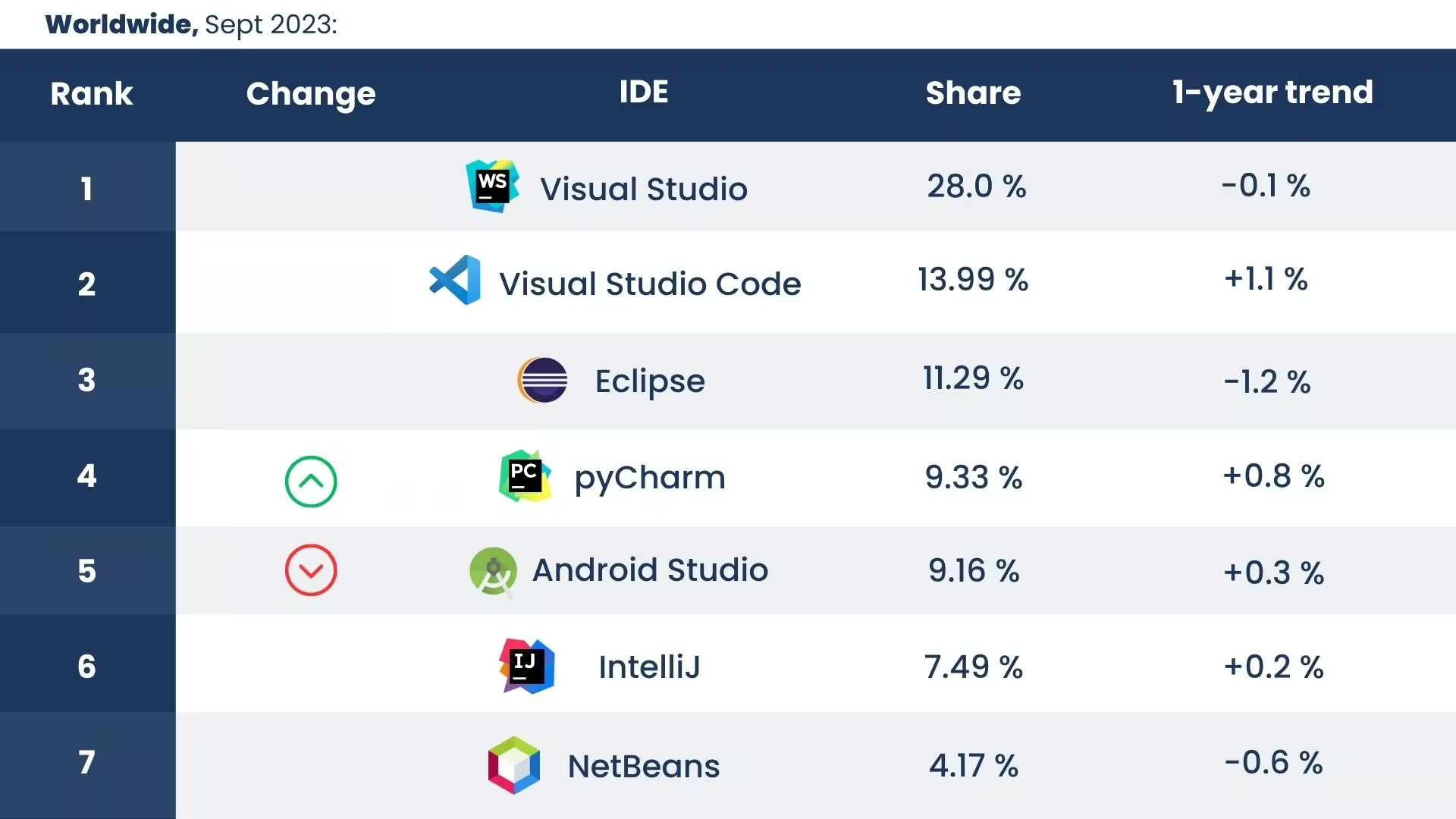
What Does Github Say about them?
It says they are very good.
But let’s find out why exactly!GitHub hosts a plethora of discussions, reviews, and insights about development tools, including Visual Studio, Visual Studio Code, Eclipse, PyCharm, IntelliJ and other development tools.
Source: GitHub
Specific-language IDE: Rider Like a Game-Changer
When it comes to .NET and C# development, having a specialized IDE like Rider can make all the difference. Rider stands as a game-changer in the realm of specific-language development, offering a host of features tailored to enhance your .NET and C# coding experience.
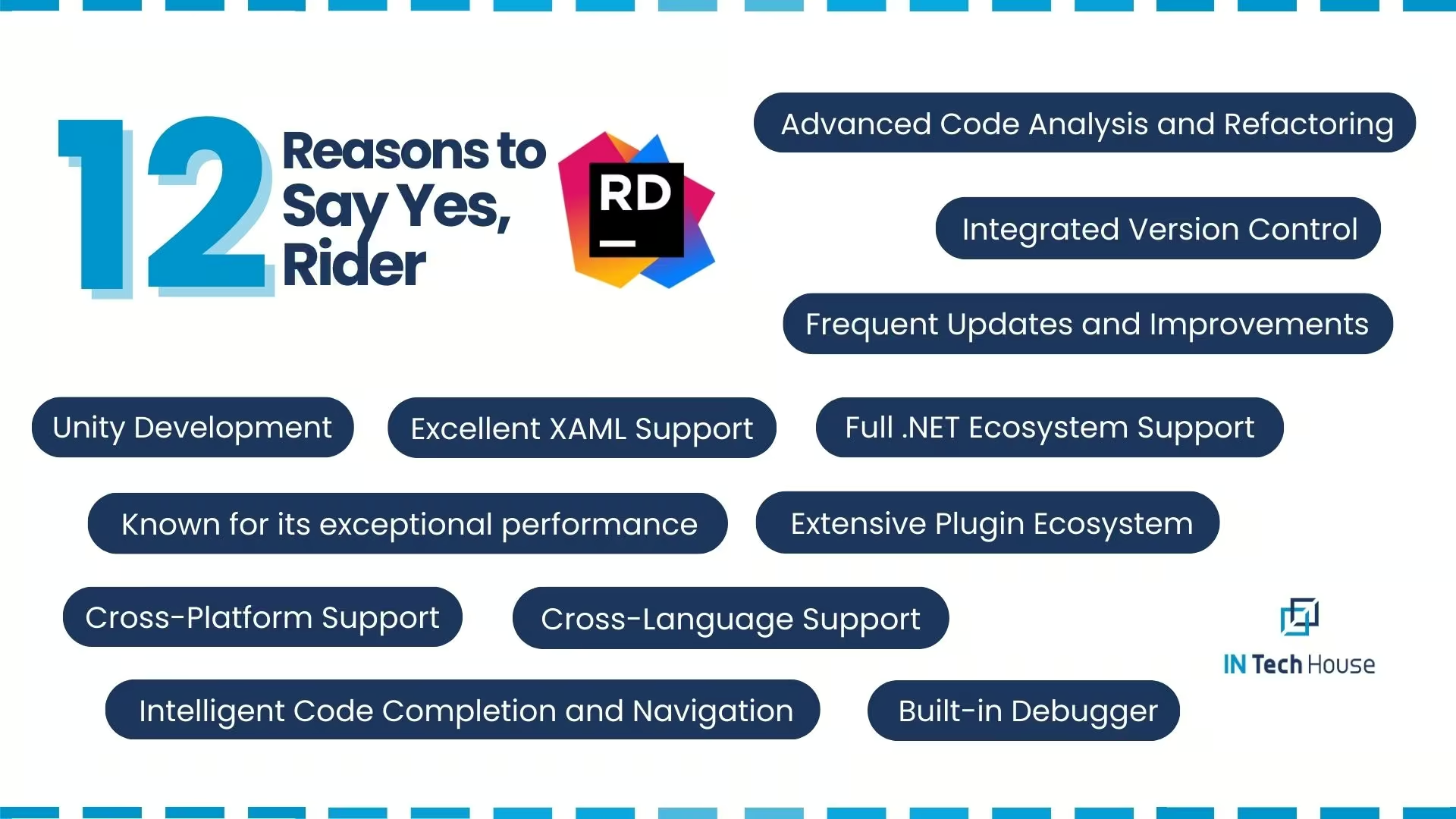
Seamless Integration: Rider integrates seamlessly with the .NET ecosystem, allowing you to effortlessly work with ASP.NET, .NET Core, Xamarin, and Unity. The IDE’s tight integration ensures compatibility, smooth development, and efficient deployment across various platforms.
- Advanced Code Analysis: Rider goes beyond traditional code editors, offering advanced code analysis capabilities. It identifies potential issues, suggests improvements, and enforces coding standards, all while you code. This proactive approach enhances code quality and minimizes errors
- Intelligent Code Completion: Rider’s intelligent code completion anticipates your coding intentions and provides accurate suggestions, making the development process faster and more accurate. Whether you’re navigating through methods or writing complex algorithms, Rider has your back
- Effortless Refactoring: Refactoring your .NET and C# code is a breeze with Rider. The IDE’s refactorings are intelligent and context-aware, allowing you to restructure your code with confidence. Say goodbye to manual changes and hello to efficient code transformation
- Integrated Debugger: Rider’s integrated debugger provides powerful tools for debugging and diagnosing issues in your .NET applications. Step through code, inspect variables and gain valuable insights into your program’s behaviour to ensure smooth execution
- Cross-Platform Flexibility: Rider supports multiple operating systems, including Windows, macOS, and Linux, allowing you to work in an environment that suits your preferences. This cross-platform flexibility ensures a consistent development experience
- Code Navigation and Analysis: Navigating through complex codebases becomes effortless with Rider’s intuitive navigation features. You can easily jump to definitions, find usages, and explore intricate code structures with ease
- Unit Testing Integration: Rider seamlessly integrates with popular unit testing frameworks, allowing you to write, run, and analyze unit tests without leaving the IDE. This integration ensures robust code quality and facilitates test-driven development
- Collaborative Coding: Rider supports version control systems like Git, enabling smooth collaboration among team members. Code reviews, branching, and merging become straightforward, enhancing teamwork and project management
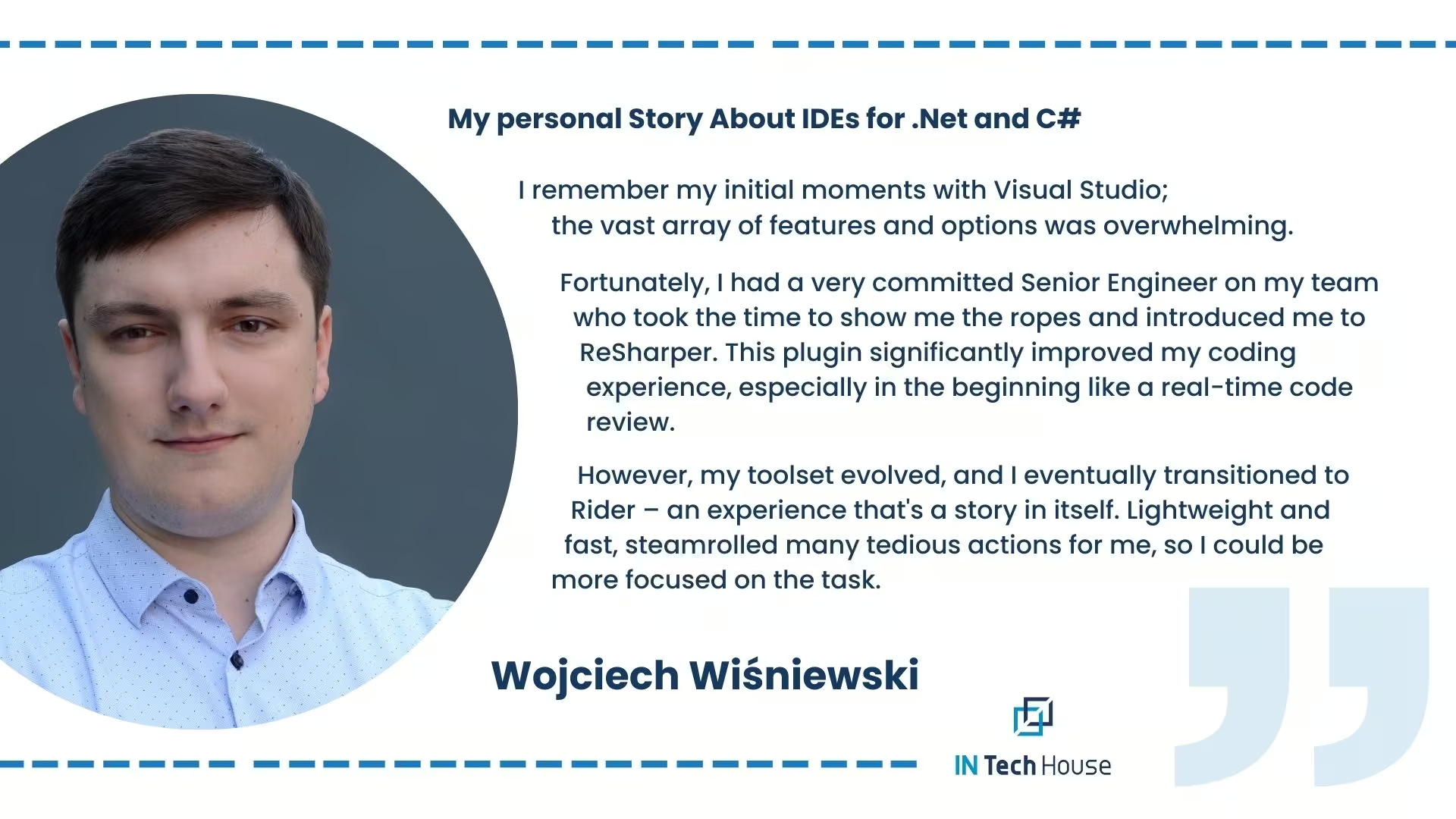
What Our Experts Think About IDEs
Read also:
- Top programming languages for embedded systems
- Software Development Life Cycle
- Which Programming Language for Embedded Systems Offers the Most?
NOTE:
InTechHouse plays a pivotal role in sharing invaluable expertise with our clients and future partners. We believe in creating value through collaboration rather than placing blame. Our commitment lies in harnessing our collective knowledge and experience to empower you with the insights, solutions, and guidance you need to thrive in your endeavours. Together, we can achieve success and innovation in the ever-evolving landscape of technology and beyond.
Are Integrations and Plugins Vital for IDEs?
Integrations and plugins play a pivotal role in the functionality and versatility of Integrated Development Environments (IDEs). These additions extend the capabilities of IDEs beyond their core features, offering developers enhanced tools, services, and frameworks tailored to their specific needs. Here’s why integrations and plugins are vital for IDEs:
- Customization: Integrations and plugins allow developers to tailor their IDE environment to match their preferred workflows and technologies. This flexibility enhances efficiency and ensures a seamless development experience.
- Expanded Functionality: IDEs might not cover every aspect of development out of the
Tooling decisions no longer stop at the editor. Teams that ship customer-facing products now evaluate platforms with the same checklist they apply to plugins, namely integration depth, configuration effort, and vendor support, which is exactly how we compared the best AI voicebot platforms for business. The criteria transfer almost one to one.
InTechHouse provides hardware, embedded and data engineering teams that plug into your existing process, repositories and review cycle.
Let's talk about your next move
Not sure where to start? We work with companies at every stage, from early ideas to enterprise-level builds. A 30-minute call can save you months of guesswork.
FAQ
Why does language support matter when choosing an IDE?
Language support matters when choosing an IDE because features such as code completion, refactoring, navigation and debugging only work well when the tool understands the language's syntax, type system and build tooling. Many editors now get this through the Language Server Protocol (LSP), which lets one editor use the same language engine across tools. Dedicated IDEs, such as IntelliJ IDEA for Java or Rider for .NET, still tend to offer deeper refactoring and framework awareness in their home language.
When should a team use a full IDE instead of a code editor like VS Code?
A team should use a full IDE when it works on large codebases in one main language, relies on heavy refactoring, or needs integrated profilers, database tools and framework support. A lightweight editor such as VS Code suits multi-language work, scripting, infrastructure code and remote development over SSH or containers. Many teams use both. The decision should consider licensing, onboarding time and whether the build and debug workflow can run the same way in CI.
How do embedded development tools differ from general-purpose IDEs?
Embedded development tools differ from general-purpose IDEs because the code runs on a separate target board, not on the developer's machine. The toolchain includes a cross-compiler such as arm-none-eabi-gcc, a debug probe like SEGGER J-Link or ST-LINK connected over SWD or JTAG, and vendor tools such as STM32CubeIDE or MCUXpresso for pin and clock configuration. Debugging covers registers, peripherals, memory maps and real-time traces, so the IDE must match the microcontroller family.
How can a team keep development environments consistent across developers?
A team keeps development environments consistent by defining them as code: dev containers or Docker images with pinned compiler and SDK versions, lockfiles for dependencies, and shared formatter and linter settings such as .editorconfig. The CI pipeline should build with the same image, so "works on my machine" differences surface early. For embedded work, pinning the exact toolchain version matters even more, because a compiler update can change timing or binary size.
What should be checked before adding an AI coding assistant to the toolchain?
Before adding an AI coding assistant to the toolchain, check where code snippets are sent and stored, whether the vendor trains models on customer code, and whether the tool can run in a restricted or self-hosted mode. Review license filtering for generated code and how suggestions are logged. Teams in regulated or defense projects may be contractually barred from sending source code to external services. Generated code still needs the same review, tests and static analysis as human-written code.

Tomasz Kierul
Co-founder responsible for scaling operations and ensuring the efficient delivery of technology projects. He brings extensive experience in advanced technologies, with a strong focus on artificial intelligence, which enables him to translate business needs into practical, scalable AI solutions that deliver measurable value.
Building on this background, he manages complex R&D projects and leads engineering teams in environments where quality, timeliness, and compliance with regulatory requirements are critical.
His approach is centered on delivering tangible business outcomes, rather than focusing solely on technology. In his work with international clients, he supports technology transformation initiatives and the implementation of AI-driven solutions aligned with real operational needs.
Let's talk about your next project
From first prototype to production, our engineers can help you scope it, build it and get it certified.
Discuss your product with our R&D team
This initial conversation is focused on understanding your product, technical challenges, and constraints.
No sales pitch - just a practical discussion with experienced engineers.
Share a few details about your product and context. We’ll review the information and suggest the most appropriate next step.